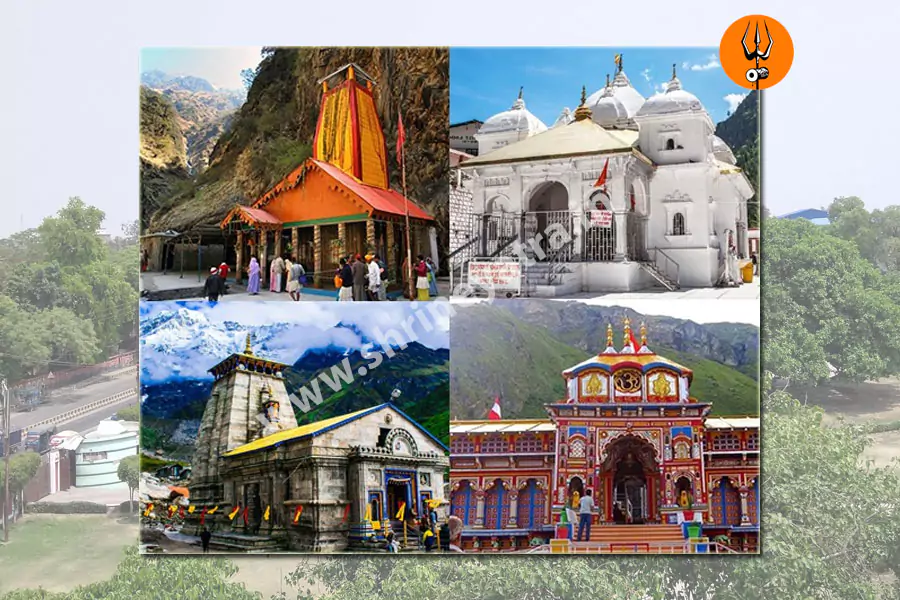
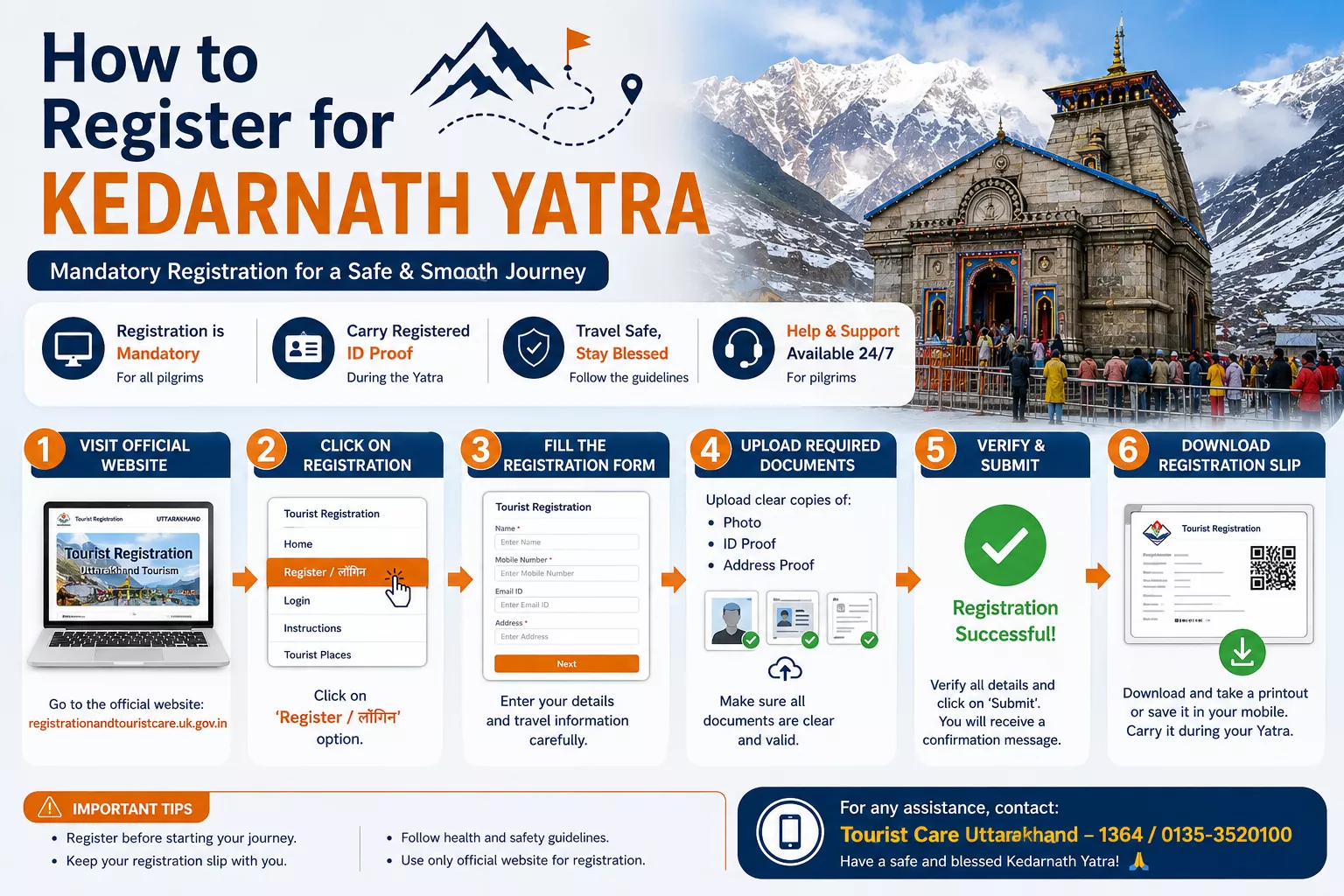
How to Register for Kedarnath Yatra: Step-by-Step Guide
To register for Kedarnath Yatra, use the official Uttarakhand Tourist Care website. The portal allows pilgrims to create an account, add travelers, plan a visit to Kedarnath, and access their registration letter. Registration is free, according to the official portal. Complete the process before travelling whenever possible, and check the latest instructions because registration dates, availability, and eligibility rules can change between seasons.
Official registration website: https://registrationandtouristcare.uk.gov.in/
This guide explains the online process, required information, registration fees, offline options, rules for families and senior citizens, and what to do if you cannot complete registration.
How to Register for Kedarnath Yatra?
Visit the official Uttarakhand Tourist Care portal and select the registration or sign-in option. Create an account if needed, enter the required traveler details, plan your tour, select Kedarnath and an available visit date, and save the registration letter after successful submission. Keep your registered mobile number and unique registration details available during your journey.
Kedarnath Yatra Registration: Quick Answers
| Question | Answer |
|---|---|
| Is registration required? | Yes. The official portal states that Char Dham Yatra registration is mandatory. |
| Where can I register? | Official Uttarakhand Tourist Care portal. |
| Can I register online? | Yes, through the official portal. |
| Is offline registration available? | The official FAQ lists physical registration centres. Confirm current centre availability before relying on this option. |
| Is registration free? | Yes. The official FAQ says there is no registration fee. |
| What documents are listed? | The official FAQ lists Aadhaar card, Voter ID, driving licence or passport, along with a mobile or phone number. Confirm the currently accepted options on the portal. |
| Does every traveler need to be registered? | Register every person in your group through the official process and check that each pilgrim appears in the tour record. |
| Do children need registration? | Confirm the current age and eligibility rules with the official portal before booking. |
| Is a medical certificate required? | A universal medical-certificate requirement could not be confirmed from the current public registration instructions reviewed for this guide. Check current health advisories and requirements. |
| Does registration guarantee darshan? | Do not treat registration as a guaranteed darshan time or priority entry. |
| Is registration the same as helicopter booking? | No. They are separate processes. |
The official portal provides the registration process, lists documents and registration centres, and states that registration is free. Its FAQ also includes an age range of 10 to 65 years. Because this could affect eligibility, travelers outside that range should obtain direct confirmation from the authorities before making travel arrangements. (Official registration FAQ)
Is Registration Required for Kedarnath Yatra?
Yes. Uttarakhand’s official Tourist Care portal states that registration is mandatory for the Char Dham Yatra, which includes Kedarnath. Pilgrims should complete the registration process and keep their confirmation available during the journey. The government services directory also identifies the registration service as mandatory for pilgrims visiting the shrines.
Registration helps authorities record pilgrims and manage visits to the shrines. The official tour-planning page asks users to select a Dham and a visit date and displays available slots. Follow the dates and options actually shown for your intended journey rather than relying on old screenshots or last year’s instructions.
Who Needs to Register?
Anyone planning to visit Kedarnath should follow the current official registration rules. For families and groups, add the relevant travelers through the portal and check the resulting pilgrim list carefully.
Do not assume that a child can travel without registration or that an older traveler automatically qualifies. The portal’s published FAQ currently states an age range of 10 to 65 years. If someone in your group falls outside it, contact Tourist Care before arranging non-refundable transport or accommodation.
Where to Register for Kedarnath Yatra
Use the official Uttarakhand Tourist Care portal:
Open the official registration website
The homepage includes links for registration, vehicle registration, helicopter booking, health registration, verification of a Yatra letter, and downloading a Yatri certificate. These are separate services, so select the one that matches your requirement.
Uttarakhand Tourism also links to the registration system from its official Kedarnath destination page.
Avoid websites that imitate official government services or charge a compulsory fee for the free registration process. A travel agency may charge for its own planning or assistance, but that is different from the official registration fee.
How to Register for Kedarnath Yatra Online
The portal interface may change. The following steps follow the official system’s published registration guidance and current tour-planning options. If the labels on the website differ, follow the instructions displayed on the official portal.
Step 1: Open the Official Portal
Visit registrationandtouristcare.uk.gov.in.
Check the domain carefully before entering personal information. Avoid sponsored advertisements, shortened links, and unofficial pages that claim to provide guaranteed registration.
Step 2: Create an Account or Sign In
Choose the registration or login option. If you are a new user, follow the account-creation instructions. Existing users can sign in using their registered credentials.
The portal’s FAQ explains that users should provide their contact details and register themselves and their fellow travelers. Keep access to the registered mobile number because account verification or recovery may depend on your contact information.
Step 3: Add the Travelers
After signing in, open the tour or pilgrim-management section. The official portal’s published instructions refer to adding or managing pilgrims and creating a new pilgrim record.
Enter the details requested for each person. Check names, ages, contact details, and identity information before saving them. Do not guess at required fields or enter someone else’s details simply to get past a form.
Step 4: Plan the Tour
Open the tour-planning section and select Kedarnath as a destination. The official planning page provides a field for the Dham and a field for the visit date. Add the destination and date, then follow the instructions to save and create the tour.
If you are visiting more than one shrine, enter the other destinations and dates as required by your itinerary.
Step 5: Check Date Availability
Review the available slots displayed by the official portal. If your preferred date is unavailable, check another suitable date if your travel plans allow it.
Do not assume that an old registration screenshot reflects current availability. Slot displays and travel rules can change.
Step 6: Review and Submit
Before submitting, check each traveler’s information and the selected visit date. Make sure the details match the documents you will carry.
If the portal asks you to complete verification, follow the on-screen instructions. Do not share one-time passwords with an agent or anyone claiming to be able to guarantee a slot.
Step 7: Save the Registration Letter
After successful registration, open the relevant tour or pilgrim record and look for the registration-letter download option. The official portal provides registration-letter verification and download services. Its verification page asks for a unique registration number, registered mobile number, and captcha.
Download the letter and keep a copy on your phone. Save another copy offline or print it as a backup. Check that the names and destination date are correct.
What Documents Are Required for Kedarnath Registration?
The official registration FAQ lists Aadhaar card, Voter ID, driving licence, passport, and a mobile or phone number as registration requirements. Because accepted documents and form fields can change, confirm the current instructions on the portal before submitting your details.
| Document or Information | What to Know |
|---|---|
| Government identity document | The official FAQ lists Aadhaar, Voter ID, driving licence and passport. Confirm the accepted options on the current form. |
| Mobile number | Keep a working number available for account access and registration-related communication. |
| Emergency contact | The official FAQ says an emergency contact is mandatory. |
| Visit date | The official tour-planning page asks users to select a Dham visit date. |
| Traveler details | Enter the details requested for each pilgrim and check them before submission. |
| Passport-size photograph | The public FAQ reviewed for this guide does not establish this as a universal requirement. Upload one only if the current official form asks for it. |
| Medical certificate | A universal requirement could not be verified from the current public registration instructions reviewed here. Check the latest health advisory and any instructions applicable to your group. |
Registration documents are not the same as journey essentials. Keep the registration letter and your identity document available while travelling. You may also need health documents or other records if the current official advisory specifically requires them for your circumstances.
Is There a Registration Fee for Kedarnath Yatra?
No official registration fee is listed. The Uttarakhand Tourist Care FAQ explicitly states that Char Dham registration is free. The National Government Services Portal also describes the registration service as having no fee.
However, registration is not the same as the cost of your trip. You may separately pay for:
- Transport to and from the Kedarnath route
- Hotels or guesthouses
- Food and other personal expenses
- Helicopter tickets, if booked
- Pony, palanquin or porter services, where available
- Travel assistance provided by an agency
If someone asks you to pay a mandatory government registration charge, verify the request through the official portal before paying.
What Is the Kedarnath Registration Slip or E-Pass?
The official system refers to a registration letter. Use that term when searching for or downloading your confirmation. Some third-party pages call it an “e-pass” or “Yatra permit,” but those labels should not replace the terminology used by the current official system.
The registration letter records the pilgrim’s registration details. The official verification page lists fields such as the traveler’s name, age, unique registration number, group ID, mobile number, registration status, and selected Dham destination date.
After registering:
- Download the registration letter from your account.
- Check the name, date, and destination details.
- Save the PDF to your phone.
- Keep an offline copy in case mobile data is unavailable.
- Carry a printed copy if practical, particularly as a backup.
The portal supports online verification of a registration letter. Still, check the current travel instructions to confirm whether a printout is required at any point on your route.
The portal also offers a Yatri Darshan Certificate, but this is not the same as the initial registration letter. The official certificate page says the certificate is available only for a pilgrim verified at the relevant Dham.
Does Kedarnath Registration Guarantee Temple Darshan?
Do not assume that registration guarantees a specific darshan time, priority entry, or uninterrupted access to the temple.
Registration is the official process for recording a pilgrim’s planned visit. It does not mean that weather, route restrictions, safety directions, or other administrative decisions cannot affect the journey.
Before leaving for Kedarnath, check the latest official updates and follow instructions issued by the authorities. If you have booked a package, ask the provider to explain exactly what it includes. Registration, transport, accommodation, special puja bookings and helicopter tickets are different services.
Is Kedarnath Registration the Same as Helicopter Booking?
No. Yatra registration and helicopter booking serve different purposes.
| Point | Kedarnath Yatra Registration | Helicopter Booking |
|---|---|---|
| Purpose | Records the pilgrim’s planned visit | Reserves helicopter travel when tickets are available |
| Official channel | Uttarakhand Tourist Care portal | Official helicopter-booking service linked by the authorities |
| Cost | Free according to the official registration FAQ | Ticket charges apply |
| Date availability | Based on the options shown in the registration system | Depends on available helicopter inventory and operating conditions |
| Guarantees helicopter travel? | No | A valid booking does not remove weather or operational restrictions |
| Is it interchangeable? | No | No |
The official government services directory states that Char Dham registration is mandatory for booking helicopter service online. The BKTC website directs pilgrims to the official helicopter-booking service at heliyatra.irctc.co.in. Check the current booking instructions before making payment.
Use only the official booking channel. Do not pay an unknown agent who promises a guaranteed helicopter ticket outside the official process.
Can You Register for Kedarnath Yatra Offline?
The official Tourist Care FAQ lists physical registration centres along the Yatra route and at Dham locations. It names places such as Haridwar Railway Station, Rishikesh ISBT, Gaurikund, Sonprayag, Janki Chatti and other pilgrimage locations.
However, a published list does not guarantee that every centre is operating, has capacity, or offers registration on every date in the 2027 season.
If you need offline registration:
- Check the current official portal or contact Tourist Care before travelling.
- Confirm the centre’s location and operating status.
- Carry an accepted identity document and the information required by the current registration process.
- Ask whether a slot is available for your intended date.
- Keep the resulting registration confirmation.
Online registration is a practical first option because you can check the available dates before starting your journey. Treat offline registration as an option to confirm with the authorities, not as a guaranteed backup.
Kedarnath Registration for Senior Citizens
Senior citizens should check eligibility before booking transport or accommodation. The official portal’s current FAQ states an age range of 10 to 65 years for Char Dham registration. It does not clearly explain on the same page how exceptions or special arrangements are handled.
If a traveler is over 65:
- Contact Tourist Care and ask whether registration is permitted under the current season’s rules.
- Ask whether any additional health screening or documentation applies.
- Do not rely on an agent’s verbal assurance in place of official confirmation.
- Discuss the physical demands of the high-altitude journey with a qualified medical professional.
- Consider the physical demands of the route and plan rest and transport arrangements accordingly.
A medical consultation is a sensible preparation step, but it should not be confused with a government-mandated certificate. The requirement for a particular certificate must be verified from the current official rules.
Kedarnath Registration for Children
The official FAQ reviewed for this guide does not provide a clear, detailed procedure for children outside its stated 10-to-65 age range. Do not assume that younger children are exempt or that they can be registered in the same way as adults.
Before arranging the journey:
- Contact Tourist Care to confirm the current minimum age and registration procedure.
- Ask how a child should be added to a family or group tour.
- Confirm which identity details or documents the portal requires.
- Check current travel and health advisories for children.
- Keep the child’s registration confirmation with the accompanying adult’s documents.
Use accurate details for every traveler. Do not enter an incorrect age to get through the form.
Is a Medical Certificate Required for Kedarnath Yatra?
A universal medical-certificate requirement for every Kedarnath pilgrim could not be confirmed from the current public registration instructions reviewed for this article.
The official portal includes a Health Registration link and provides health-advisory information. That means travelers should check the current health instructions rather than assume that no health-related requirements apply.
Before travel, confirm:
- Whether a medical certificate or health screening is required for your dates
- Whether any age-specific instructions apply
- Whether a prescribed form or designated medical facility must be used
- Whether any health restrictions have been announced for the current season
If you have concerns about your fitness for a high-altitude pilgrimage, seek advice from a qualified medical professional before travelling. Do not rely on a general online article to decide whether the journey is medically suitable for you.
What to Do If Kedarnath Registration Slots Are Full
If the date you want is unavailable, do not try to bypass the registration system.
Try these steps:
- Check another date. The official tour-planning page provides an option to select another date when continuing on the same date is not suitable.
- Review official updates. Availability can change, so check the official portal again before making a decision.
- Ask Tourist Care for guidance. Use the contact details on the official website to clarify whether more dates or slots are available.
- Ask about offline registration. Confirm that a centre is currently operating and can register travelers for your intended visit.
- Adjust your travel arrangements if needed. Do not travel on the assumption that an unavailable slot will automatically be granted on arrival.
Avoid people who sell guaranteed slots through unofficial links or ask you to use someone else’s registration.
Common Problems During Kedarnath Registration
| Problem | What You Can Do |
|---|---|
| OTP not received | Check the mobile number, signal and SMS blocking settings. Retry after a short wait. Use the portal’s official support channel if the issue continues. |
| Website not loading | Try again later, use a stable connection, or open the official site in another browser. Do not switch to an unofficial registration site. |
| Date unavailable | Check the official calendar for another eligible date and review current notices. |
| Incorrect traveler details | Sign in and look for the official modify option. Check whether the specific field can be edited before saving changes. |
| Confirmation not received | Sign in and check the tour or pilgrim record and registration-letter download option. |
| Unable to download the letter | Try the official verification page using the unique registration number, registered mobile number and captcha. |
| Registration status unclear | Use the official verification service or contact Tourist Care. |
| Payment request appears during registration | The official registration FAQ says registration is free. Stop and verify the page before entering payment details. |
| Document upload fails | Check the file requirements shown on the official form. Do not upload identity documents to a third-party site. |
For support, the official Tourist Care website lists these contacts:
- Uttarakhand helpline: 1364
- Outside Uttarakhand: +91 135 1364
- Tourist helplines: 0135-2559898, 0135-2552627, 0135-3520100
- Email: touristcare.uttarakhand@gmail.com
The official contact page lists tourist helpline hours as 7:00 AM to 9:00 PM. Verify contact information on the official site before using it, as details can change.
How to Check Kedarnath Yatra Registration Status
The official portal provides a Verify Yatra Registration Letter page. You can use it to check a registration letter without relying only on a screenshot or message from an agent.
Open the official verification page and follow these steps:
- Enter the unique registration number.
- Enter the registered mobile number.
- Complete the captcha.
- Submit the details.
- Review the registration information shown on the page.
The official page lists the pilgrim’s name, age, unique registration number, group ID, mobile number, registration status and selected Dham destination date. It also provides an option to download the registration letter.
If the record cannot be found, check that you entered the correct registration number and mobile number. If the problem continues, contact Tourist Care using the details on its official website.
Can Kedarnath Registration Details Be Changed or Cancelled?
The official portal’s published user manual describes options for viewing or modifying tour information. Its FAQ also advises users to take a fresh printout after modifying details.
This does not establish that every detail can be changed, that every cancellation is allowed, or that a particular change is guaranteed to be accepted.
If you need to make a change:
- Sign in to the official portal.
- Look for the option to view or modify your tour.
- Check whether the relevant detail can be changed.
- Follow the instructions and save the updated information.
- Download a fresh registration letter and check it carefully.
For cancellation, changing a visit date, or correcting an identity detail that cannot be edited, contact Tourist Care for instructions. Since registration is free, there is no registration fee to refund, but separate helicopter, hotel or transport bookings may have their own cancellation policies.
What to Do After Successful Registration
Registration is an important step, but it is not the end of your preparations.
After receiving your confirmation:
- Save the registration letter on your phone.
- Keep an offline copy or printout as a backup.
- Check that every traveler is correctly recorded.
- Keep the accepted identity document ready.
- Confirm accommodation and transport separately.
- Check current weather and route advisories before departure.
- Review the latest health requirements.
- Pack clothing and footwear suitable for changing mountain conditions.
- Carry personal medicines and any medical documents that apply to you.
- Save the official Tourist Care and emergency contacts.
- Confirm helicopter tickets separately if you plan to fly.
The official Tourist Care portal provides links to weather forecasts, health advisories, registration verification and other travel services. Check these close to your departure date because mountain conditions and operating arrangements can change. (Official Tourist Care portal)
Kedarnath Yatra Registration Checklist
- Registered through the official Uttarakhand Tourist Care portal
- Confirmed that each traveler is eligible under current rules
- Checked the selected Kedarnath visit date
- Reviewed traveler names and other details
- Saved the registration letter
- Kept an offline copy or printout
- Prepared an accepted identity document
- Confirmed any applicable health or medical requirements
- Checked accommodation and transport bookings
- Booked helicopter tickets separately, if required
- Checked the latest weather and route advisories
- Saved official support and emergency numbers
Important Things to Know Before Registering
Registration rules can change from one Yatra season to another. The official portal may update eligibility conditions, visit dates, slot availability, document requirements or health instructions.
Keep these points in mind:
- Register through the official government portal.
- Check available dates before finalizing travel arrangements.
- Do not assume that a previous year’s instructions still apply.
- Do not treat registration as a guaranteed darshan time.
- Do not treat registration as a helicopter ticket.
- Confirm current rules for children and travelers over 65.
- Verify any medical-certificate requirement from current official instructions.
- Keep your registration letter and identity document available.
- Check weather, road and Yatra advisories before departure.
How to Avoid Kedarnath Registration Scams?
The official registration process is free, according to the Uttarakhand Tourist Care FAQ. Be cautious if a website or agent claims you must pay a government registration fee to secure a place.
To protect your information:
- Check the official website domain before entering details.
- Avoid unofficial links sent through messages or social media.
- Never share an OTP, password or account recovery code with an agent.
- Do not upload identity documents to an unverified website.
- Check the official portal before paying for any service described as compulsory.
- Verify registration letters through the official verification page.
- Keep helicopter and hotel payments separate from the free registration process.
A travel agency may provide paid assistance with transport, hotels or itinerary planning. That service charge is not the government’s Yatra registration fee.
Common Mistakes to Avoid
Before submitting your registration, make sure you are not:
- Using an unofficial registration website.
- Entering incorrect traveler details.
- Registering a child or older traveler without checking current eligibility.
- Losing the registration letter or unique registration number.
- Assuming registration guarantees a particular darshan time.
- Assuming registration includes a helicopter ticket.
- Ignoring current health instructions.
- Ignoring weather and route advisories.
- Waiting until the last moment to check availability.
- Following old blog posts or videos without checking current rules.
- Paying an unofficial person for a service the government provides free.
- Sharing OTPs or passwords with someone who promises to complete registration.
Frequently Asked Questions
How do I register for Kedarnath Yatra?
Visit the official Uttarakhand Tourist Care portal, sign in or create an account, add traveler details, select Kedarnath and an available date, submit the tour information, and save your registration letter.
Is Kedarnath Yatra registration mandatory?
Yes. The official Uttarakhand Tourist Care FAQ says Char Dham Yatra registration is mandatory. Check the current instructions before travelling.
When does Kedarnath registration open?
Registration availability depends on the official announcement and current Yatra arrangements. Check the official portal for the current season rather than relying on dates published for an earlier year.
What is the official Kedarnath registration website?
The official portal is https://registrationandtouristcare.uk.gov.in/. Check the domain before entering personal information.
Is Kedarnath registration free?
Yes. The official registration FAQ states that there is no fee for Char Dham registration. Helicopter tickets, accommodation and transport are separate expenses.
What documents are required for Kedarnath registration?
The official FAQ lists Aadhaar card, Voter ID, driving licence or passport, plus a mobile or phone number. Confirm the accepted options on the current registration form.
Can I register for Kedarnath Yatra offline?
The official FAQ lists registration centres along the route and at pilgrimage locations. Confirm which centres are operating and whether they can register you for your intended date before relying on offline registration.
Does every family member need separate registration?
Make sure every traveler is included in the official registration record. Follow the portal’s process for adding or managing pilgrims, and check that the confirmation correctly records the members of your group.
Do children need Kedarnath registration?
Confirm the current age and registration rules with Tourist Care. The public FAQ reviewed for this article states an age range of 10 to 65 years but does not clearly explain every exception.
Can senior citizens register for Kedarnath Yatra?
The official FAQ currently states an age range of 10 to 65 years. Travelers over 65 should obtain direct confirmation from Tourist Care about eligibility and any additional requirements before booking.
Is a medical certificate required for Kedarnath Yatra?
A universal medical-certificate requirement could not be confirmed from the current public registration instructions reviewed here. Check the latest official health advisory and ask the authorities about any requirement applicable to your circumstances.
Can I register without Aadhaar?
The official FAQ lists Aadhaar, Voter ID, driving licence and passport. Confirm the currently accepted identity options on the official portal if you do not have Aadhaar.
Can I change my Kedarnath registration date?
The official portal’s user manual describes options to view or modify tour information. Check the available options in your account and contact Tourist Care if the date cannot be changed.
Can I cancel Kedarnath registration?
The public instructions reviewed for this guide do not establish a universal cancellation procedure. Ask Tourist Care for the current process. Separate bookings may have their own cancellation terms.
What should I do if Kedarnath registration slots are full?
Check another suitable date, review official updates, and contact Tourist Care. Ask whether offline registration is available for your intended date. Do not attempt to bypass the registration rules.
Is Kedarnath registration the same as helicopter booking?
No. Registration records the planned pilgrimage visit. Helicopter booking reserves air transport separately, subject to ticket availability and operating conditions.
Does registration guarantee Kedarnath temple darshan?
Do not assume that registration guarantees a particular darshan time or uninterrupted access. Follow the latest instructions issued by the authorities.
What should I carry after registration?
Keep your registration letter, accepted identity document and any other documents required by current official instructions. Save digital and offline copies and check whether a printout is required.
How can I check my registration status?
Use the official Verify Yatra Registration Letter page. Enter the unique registration number, registered mobile number and captcha.
What should I do if the registration website is not working?
Try again later or use a stable internet connection. If the problem continues, contact Tourist Care through the details on its official website. Avoid unofficial sites that promise guaranteed registration.
Final Conclusion
To register for Kedarnath Yatra, start with the official Uttarakhand Tourist Care portal, add the required traveler details, select an available Kedarnath visit date, and save your registration letter. Keep your identity document and registration details ready, and check the current rules carefully if your group includes children or travelers over 65.
Before booking tour package, verify the latest official health, weather and route advisories. Registration, temple darshan and helicopter booking are separate matters, so confirm each one independently.
Important: Registration rules, dates, availability, medical requirements, age-related conditions and official procedures can change. Always verify the latest information through official government and Yatra sources before travelling.